
Password Protected File Sharing: The Complete Guide to Secure Document Sharing Online
Introduction
Password protected file sharing has become one of the most important requirements for modern businesses and individuals who need to send sensitive information online.
Whether you’re sharing contracts, financial reports, legal documents, investor decks, medical files, or confidential business plans, simply sending a standard email attachment is no longer secure enough.
Once a file is sent as an attachment, it can be easily:
- Forwarded to others
- Downloaded and stored permanently
- Shared without your knowledge
- Accessed long after it is relevant
This creates significant security, compliance, and privacy risks.
Password protected file sharing solves this problem by adding an extra layer of security that ensures only authorised recipients can access sensitive documents.
In this guide, we will explain what password protected file sharing is, how it works, why it matters, and how modern secure file sharing platforms like FileRecall extend this concept further with advanced controls such as file recall, expiry links, and access tracking.
What Is Password Protected File Sharing?
Password protected file sharing is a method of securely sending files where access is restricted by a password.
Instead of sending an open file or unsecured download link, the sender applies a password that must be entered before the recipient can view or download the document.
This ensures that even if a file link is shared or intercepted, it cannot be accessed without the correct credentials.
Password protection is commonly used for:
- Confidential business documents
- Legal contracts and agreements
- Financial statements
- Tax records
- Personal identification documents
- Intellectual property
- Investor materials
While simple in concept, password protection is a critical first step in securing digital communication.
Why Password Protection Alone Is Not Enough
Although password protection improves security, it has limitations when used alone.
Most traditional password protected file sharing methods:
- Do not allow access revocation
- Do not track who opened a file
- Do not provide visibility after sharing
- Do not allow expiration controls
- Do not prevent forwarding of passwords separately from files
In other words, password protection secures the front door, but does not give you control over what happens after access is granted.
This is where modern secure file sharing platforms go further.
👉 Start Free Trial (No Credit Card Required)
How Modern Secure File Sharing Works
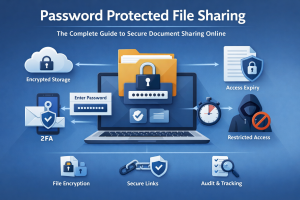
Modern platforms combine password protection with additional layers of control, including:
- File access control
- Expiring links
- File tracking
- Access revocation
- File recall technology
- Download restrictions
- Watermarking
Instead of simply protecting a file with a password, these systems allow you to control the entire lifecycle of the document after it has been sent.
This is especially important for businesses sharing sensitive or time-critical information.
Key Features of Secure Password Protected File Sharing
1. Password Protection
The most basic layer of security is requiring a password before access is granted.
This ensures that only authorised users can open the file.
Passwords can be:
- Shared separately via email or messaging
- Sent through secure channels
- Provided verbally for higher security scenarios
2. Expiring File Links
One of the most effective enhancements to password protected file sharing is expiration control.
With expiring links, you can set a time limit on how long a file remains accessible.
For example:
- 24 hours
- 7 days
- After first view
- Custom expiry date
Once expired, the file becomes inaccessible automatically.
This is especially useful for:
- Time-sensitive proposals
- Temporary approvals
- Confidential negotiations
- Limited access sharing
3. File Recall and Access Revocation
Modern secure file sharing goes beyond passwords by allowing you to revoke access even after a file has been sent.
With file recall technology, you can:
- Instantly disable access to a shared file
- Revoke access if a mistake is made
- Stop further viewing or downloads
- Maintain full control over distributed documents
This capability is critical when handling sensitive information where circumstances can change after sending.
👉 Learn more: How to Recall a Sent File
4. Track Who Opened a File
Password protection alone does not tell you what happens after access is granted.
Modern systems allow you to track:
- When a file was opened
- How many times it was viewed
- Whether it was downloaded
- User activity and engagement patterns
This provides valuable insight for:
- Sales proposals
- Investor decks
- Legal documents
- Client reporting
👉 Related reading: How to Track Who Opened a File
5. Download Controls
In many cases, you may want recipients to view a file without downloading it.
Secure file sharing platforms allow you to:
- Disable downloads entirely
- Allow view-only access
- Restrict file redistribution
This reduces the risk of uncontrolled sharing.
6. Watermarking for Protection
Watermarking adds visible identifiers to documents, such as:
- Recipient name
- Email address
- Timestamp
This discourages unauthorized sharing and helps trace leaked documents back to their source.
Password Protected File Sharing vs Traditional Email Attachments
Traditional email attachments offer minimal security once sent.
Email attachments:
- No access control after sending
- No tracking or visibility
- No expiration
- Easily forwarded
- Permanently stored by recipients
Secure password protected file sharing:
- Controlled access via password
- Ability to revoke access
- Tracking and monitoring
- Expiring links
- Download restrictions
- Watermarking options
The difference is control.
👉 Start Free Trial (No Credit Card Required)
Use Cases for Password Protected File Sharing
Legal Professionals
Law firms regularly share:
- Contracts
- Legal agreements
- Case documents
Password protection ensures confidentiality while maintaining controlled access.
Finance and Accounting
Accountants and financial advisors use secure sharing for:
- Tax returns
- Financial statements
- Audit documents
Security and compliance are essential in this industry.
Startups and Investors
Startups often share:
- Pitch decks
- Business plans
- Financial projections
Tracking and access control provide insight into investor engagement.
Film and Creative Industries
Production companies share:
- Scripts
- Budgets
- Confidential creative materials
Protecting intellectual property is critical in this space.
Consulting and Professional Services
Consultants regularly distribute:
- Reports
- Strategic recommendations
- Client deliverables
Secure sharing ensures professional confidentiality.
Why FileRecall Enhances Password Protected File Sharing
FileRecall builds on traditional password protection by adding full document lifecycle control.
Instead of just protecting access, FileRecall allows you to:
- Revoke access instantly after sending
- Recall shared files at any time
- Track document activity in real time
- Set expiration dates
- Control downloads
- Apply watermarking
- Monitor engagement
This creates a significantly more powerful security model than password protection alone.
The Concept of “Document Recall”
In modern secure file sharing, some users refer to advanced control as the ability to “kill a document after sending it.”
While informal, this reflects a real need: the ability to completely revoke access to a file once it has been shared.
This is achieved through file recall and access revocation systems that ensure documents cannot be viewed once access is removed.
Best Practices for Password Protected File Sharing
To maximise security, follow these best practices:
Use strong, unique passwords
Avoid simple or reused passwords.
Share passwords separately
Do not send password and file in the same message.
Set expiry dates
Limit how long files remain accessible.
Revoke access when no longer needed
Remove access immediately after use.
Monitor file activity
Track who opens your files and when.
Combine multiple security layers
Use password protection + tracking + recall together.
The Future of Secure File Sharing
Password protected file sharing is evolving into a more advanced model of document control.
The future is not just about protecting access — it is about controlling what happens after access is granted.
Modern platforms like FileRecall are leading this shift by combining:
- Password protection
- File recall
- Access tracking
- Expiry controls
- Download restrictions
- Watermarking
Together, these features represent a new standard in secure document sharing.
👉 Start Free Trial (No Credit Card Required)
Conclusion
Password protected file sharing is an essential tool for protecting sensitive documents online.
However, on its own, it is no longer sufficient for modern business needs.
Today’s organisations require complete control over their documents — before, during, and after sharing.
By combining password protection with advanced features such as file recall, tracking, expiry controls, and access revocation, businesses can significantly improve document security and reduce risk.
Secure file sharing is no longer just about sending files safely.
It is about maintaining control at every stage of the document lifecycle.