
Secure File Sharing for Business
When you send a file, do you stay in control of it? With most tools, the answer is no. FileRecall changes that — with revocation, expiry, watermarking, and full audit trails built in from the start.
[Try FileRecall Free] [See How It Works]
The Problem With How Most Businesses Share Files
Most businesses default to whatever is convenient — email attachments, Dropbox links, Google Drive folders set to “anyone with the link can view.” These tools were built for ease of access, not control.
Once you send a file the traditional way, you lose it. You can’t unsend an email. You can’t revoke a Dropbox link once it’s been forwarded. You have no idea whether the recipient opened the file, shared it further, or downloaded twelve copies to an unsecured personal device.
For businesses handling sensitive documents — contracts, financial records, HR files, pitch decks — that loss of control is a liability.
👉 Start Free Trial (No Credit Card Required)
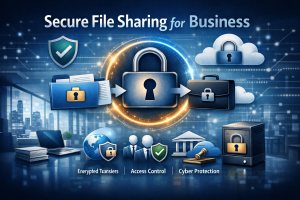
What Secure File Sharing for Business Actually Requires
True secure file sharing isn’t just encryption. It’s control across the entire lifecycle of a document:
Revocation — Kill access to any file, instantly, after it’s been sent. Not “ask the recipient to delete it.” Actually revoke it at the link level.
Expiry dates — Set a time limit on file access from the moment you share. A proposal valid for 30 days shouldn’t be accessible indefinitely.
Audit trails — Know exactly when a file was opened, by whom, how many times, and from where. Essential for compliance and dispute resolution.
Watermarking — Tie every copy of a sensitive document back to its intended recipient. One of the most effective deterrents against unauthorised sharing.
Password protection — An additional authentication layer before recipients can access a file, separate from the link itself.
Encryption — Files protected in transit and at rest, as a baseline.
👉 Related reading: How to Recall a Sent File?
👉 Start Free Trial (No Credit Card Required)
The Business Risks of Getting This Wrong
Data breaches don’t only happen to enterprises. Small and mid-sized businesses are disproportionately targeted because their defences tend to be weaker. A single misdirected file share can expose client data, trigger regulatory penalties, or end a professional relationship.
Consider what can go wrong with uncontrolled file sharing:
- The accidental forward. A confidential proposal lands with a competitor because a client forwarded it without thinking. Without revocation, that document stays there permanently.
- The stale link. A contractor given folder access six months ago has since left. That access still exists unless someone manually removed it.
- The disputed delivery. A client claims they never received a critical document. You have no audit trail to prove otherwise.
- The leak. A confidential board document surfaces publicly. With no watermarking or tracking, you have no way to identify who shared it.
None of these are edge cases. They happen in businesses of every size, every week.
Who Needs This Most
Secure file sharing is relevant across every sector, but some industries face particularly acute exposure:
Legal — Client documents, contracts, and briefs carry strict confidentiality obligations. Revocation, tracking, and watermarking are essential.
Financial services — Tax documents, investment reports, and financial statements need controlled sharing with a clear compliance audit trail.
Healthcare — Patient records and clinical documents carry some of the heaviest regulatory requirements of any industry.
Creative and media — Pitch decks, scripts, and unreleased assets are prime targets for leakage. Watermarking and expiry are especially valuable pre-launch.
HR and recruitment — Payroll data, performance reviews, and candidate information are among the highest-risk categories for accidental exposure.
👉 Related reading: Secure File Sharing for Accountants
How FileRecall Works
FileRecall was built specifically around the problem of control after sending.
When you share a file through FileRecall, you keep control of it. Set an expiry date before you send. Track every open and download in real time. Revoke access the moment circumstances change. Apply watermarking to tie every copy back to its intended recipient.
It fits into your existing workflow — no infrastructure overhaul, no steep learning curve. The right behaviour becomes the default.
Getting Started
The practical starting point is identifying where your highest-risk file sharing currently happens — client-facing documents, financial records, HR files, executive communications. Start there, establish the habit of sharing with expiry and tracking enabled, and it tends to spread.
Secure file sharing for business doesn’t have to be complicated. It just has to keep you in control.
👉 Start Free Trial (No Credit Card Required)
FileRecall | Secure file sharing with revocation, expiry and audit trails. filerecall.com