
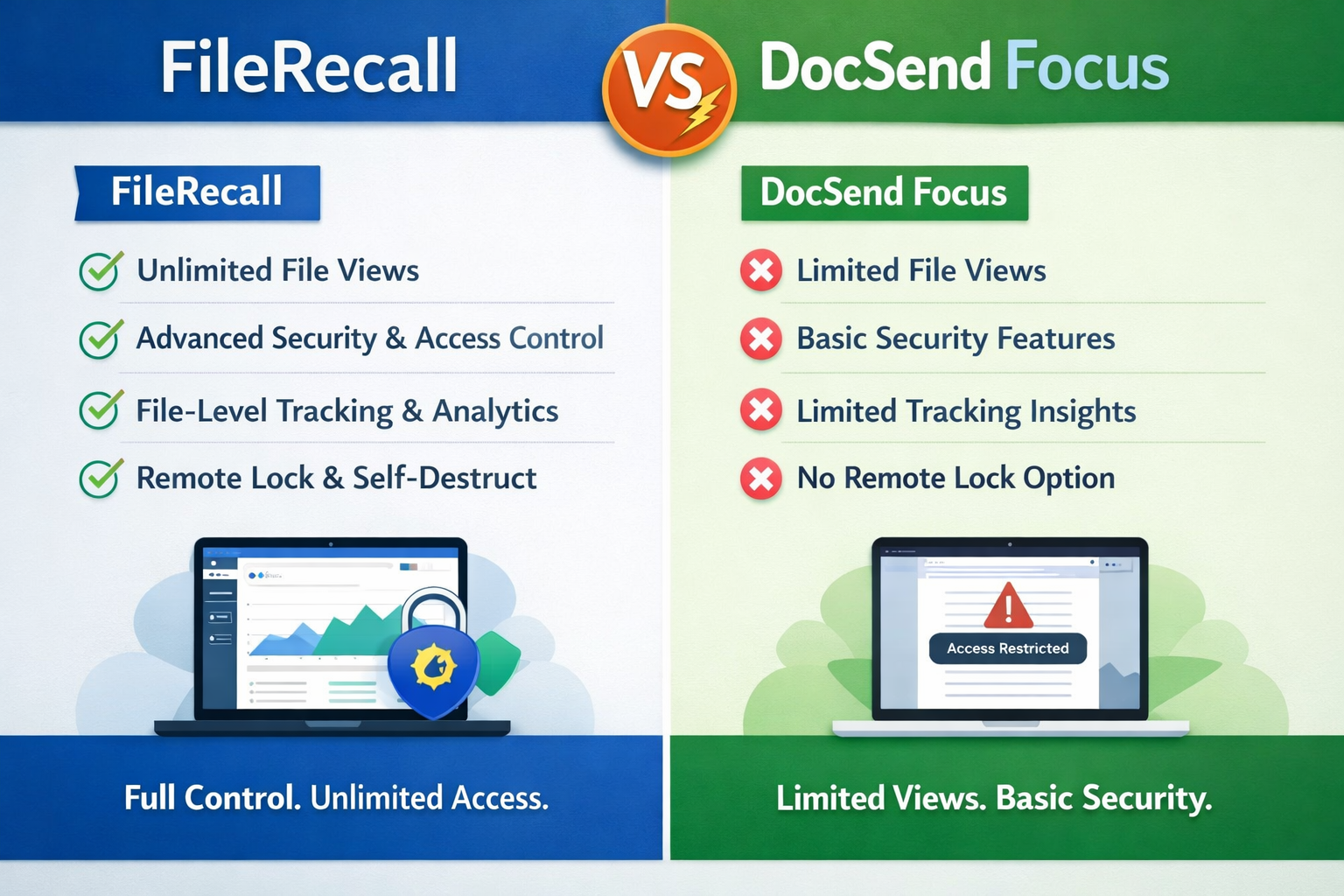
FileRecall vs DocSend: Which Secure Document Sharing Platform Is Better?
Introduction
When it comes to sharing sensitive business documents, startups, investors, law firms, and enterprises often turn to secure document sharing platforms.
Two of the most commonly compared solutions in this space are filerecall vs Docsend
.Both platforms are designed to help users share documents securely, track engagement, and maintain control over sensitive information. However, they take slightly different approaches to document security, access control, and post-send management.
In this guide, we’ll compare FileRecall vs DocSend in detail, covering features, security, tracking, pricing considerations, and use cases — so you can decide which platform is better suited for your needs.
What Is DocSend?
DocSend is a document sharing and tracking platform widely used by startups, investors, and sales teams.
It allows users to:
Upload documents
Track document views
Control access permissions
Prevent unauthorized downloads (in some plans)
DocSend is particularly popular in the venture capital and startup ecosystem for sharing pitch decks and fundraising materials.
Its core focus is document analytics and investor engagement tracking.
👉 Related reading: Expiry Controls – File Recall – Send Files With Total Control
What Is FileRecall?
FileRecall is a secure file sharing and document control platform designed to give users full control over files even after they have been sent.
Unlike traditional file sharing tools, FileRecall focuses on the entire lifecycle of a document — not just the moment it is sent.
With FileRecall, users can:
Share files securely via link
Set passwords for access
Track who opened documents
Revoke access instantly
Recall shared files after sending
Set expiry dates
Control downloads
Monitor document activity
The key difference is control after delivery.
FileRecall is built around the idea that you should never lose control of a document after it is shared.
FileRecall vs DocSend: Feature Comparison
1. Access Control
DocSend
DocSend allows users to control access through permissions and link sharing settings. However, once a document is accessed or downloaded (depending on settings), control becomes more limited.
FileRecall
FileRecall provides deeper post-send control, including:
Instant access revocation
File recall after sending
Link deactivation at any time
👉 Advantage: FileRecall
2. File Recall (After Sending Control)
DocSend
DocSend focuses more on sharing and analytics than true recall functionality. Once access is granted, control is limited to disabling links or updating permissions.
FileRecall
FileRecall is built specifically around the ability to:
Recall a sent file
Immediately revoke access
Disable active document links
Stop further viewing instantly
👉 Advantage: FileRecall
3. Document Tracking
DocSend
DocSend is well known for strong analytics, including:
Page-by-page tracking
Viewer insights
Engagement time
Investor behaviour data
FileRecall
FileRecall provides:
Who opened the file
When it was accessed
View activity history
Engagement tracking
While DocSend offers deeper analytics, FileRecall focuses on actionable security + visibility combined.
👉 Advantage: DocSend (analytics depth), FileRecall (balanced control + tracking)
4. Security Features
DocSend
Secure link sharing
Permission controls
Some download restrictions
FileRecall
Password-protected file sharing
Access revocation
File recall system
Expiry controls
Download control options
Watermarking capabilities
👉 Advantage: FileRecall (broader security control)
5. Ease of Use
DocSend
DocSend is widely adopted and familiar to many investors and startups.
FileRecall
FileRecall is designed to be simple and fast, focusing on quick secure sharing with built-in control.
👉 Advantage: Tie (depends on user preference)
6. Pricing and Accessibility
DocSend
DocSend is a premium product often used by funded startups and enterprises. Pricing can be relatively high depending on features.
FileRecall
FileRecall is positioned as an accessible secure document control platform for individuals, startups, and businesses.
👉 Advantage: FileRecall (for flexibility and accessibility)
When to Use DocSend
DocSend is best suited for:
Venture capital firms
Startup fundraising teams
Sales teams needing analytics
Users focused heavily on investor engagement metrics
If your primary goal is deep document analytics, DocSend is a strong option.
When to Use FileRecall
FileRecall is best suited for:
Businesses needing full post-send control
Legal and financial document sharing
Confidential investor communications
Users who want to revoke access after sending
Teams that need file recall capabilities
If your priority is security, control, and post-send document management, FileRecall is designed specifically for that purpose.
For Secure document sharing CLICK HERE
Key Difference: Control After Sending
The biggest difference between FileRecall and DocSend is this:
DocSend focuses on tracking and engagement
FileRecall focuses on control after sharing
In simple terms: filerecall vs DocSend
DocSend tells you what happens after you send a document
FileRecall lets you control what happens after you send a document
Why File Recall Is a Game Changer
Traditional document sharing systems assume that once a file is sent, control is limited.
FileRecall changes that assumption by allowing users to:
Revoke access instantly
Recall shared documents
Stop unauthorized viewing
Maintain control at all times
This is particularly important for:
Investor documents
Legal agreements
Confidential business information
Financial reports
Sensitive intellectual property
👉 Related reading: Can You Revoke Access to a Shared File?
How FileRecall Complements Tracking
While DocSend is known for analytics, FileRecall combines tracking with control.
With FileRecall, users can:
See who opened a file
Monitor document activity
Revoke access if needed
Set expiration rules
👉 Related reading: How to Track Who Opened a File?
Final Verdict: FileRecall vs DocSend
Both platforms serve different needs.
Choose DocSend if:
You need advanced investor analytics
You are focused on fundraising engagement metrics
You want detailed page-by-page tracking
Choose FileRecall if:
You need full control over documents after sending
You want to revoke or recall files at any time
You need secure, password-protected sharing
You want integrated tracking + security control
Conclusion
FileRecall vs DocSend is not just a comparison between two tools — it reflects two different philosophies of document sharing.
DocSend is built around document analytics and engagement tracking.
FileRecall is built around document control, security, and post-send management.
For users who want visibility, DocSend is a strong choice.
For users who want control, security, and the ability to revoke access at any time, FileRecall offers a more complete approach to modern secure document sharing.
As businesses increasingly prioritize data security and control, platforms like FileRecall represent the next evolution in secure file sharing.