
Best Way to Send Password Protected Files: A Complete Guide to Secure File Sharing
Introduction
What is the best way to send password protected files? Sharing files online has become a normal part of business and personal communication. Every day, organizations send contracts, financial reports, legal documents, client records, investor presentations, creative assets, and confidential business information across the internet.
However, many people still rely on traditional email attachments to send sensitive files. While convenient, email attachments provide very little protection once a file has been delivered. Documents can be downloaded, forwarded, copied, or stored indefinitely without the sender’s knowledge.
This is why many businesses are searching for the best way to send password protected files.
Password protected file sharing adds an important layer of security by ensuring that only authorized recipients can access shared documents. Modern secure file sharing platforms take this even further by combining password protection with document tracking, file recall, access revocation, expiry controls, and download restrictions.
In this guide, we’ll explore the best ways to send password protected files, the advantages and disadvantages of different methods, and how businesses can maintain control over sensitive information long after a file has been shared.
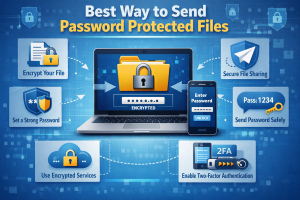
Why Password Protected File Sharing Matters
Cybersecurity threats continue to increase every year.
Businesses regularly exchange sensitive information such as:
- Contracts and agreements
- Financial statements
- Tax documents
- Investor presentations
- Confidential business plans
- Employee records
- Legal documents
- Intellectual property
- Scripts and creative materials
If these files fall into the wrong hands, the consequences can include:
- Data breaches
- Financial loss
- Reputational damage
- Compliance violations
- Loss of intellectual property
Password protected file sharing helps reduce these risks by adding a security barrier between the file and unauthorized users.
What Is a Password Protected File?
A password protected file requires a user to enter a password before accessing the contents.
This password acts as a gatekeeper, ensuring that only individuals with the correct credentials can view or download the document.
Password protection can be applied to:
- PDF files
- Word documents
- Excel spreadsheets
- ZIP archives
- Images
- Videos
- Secure file sharing links
While password protection is highly effective, the way the file is delivered is equally important.
Common Ways to Send Password Protected Files
There are several methods available.
Some are more secure than others.
1. Password Protected ZIP Files
One of the oldest methods is compressing files into a password protected ZIP archive.
Advantages:
- Simple to create
- Works on most devices
- No additional software required
Disadvantages:
- Password must be shared separately
- Files can still be copied or forwarded
- No tracking capabilities
- No access revocation
- No expiry controls
While useful for basic protection, ZIP files provide limited control once distributed.
2. Password Protected PDF Files
Many PDF applications allow password protection.
Advantages:
- Easy to implement
- Familiar format
- Good for static documents
Disadvantages:
- No visibility after sharing
- Cannot revoke access
- Difficult to manage at scale
- Passwords can be shared with others
PDF protection improves security but does not solve the broader problem of document control.
3. Password Protected Cloud Storage Links
Platforms such as cloud storage services allow users to generate password protected sharing links.
Advantages:
- Easy sharing
- Centralized storage
- Better collaboration
Disadvantages:
- Limited tracking
- Limited recall capabilities
- Downloaded files remain uncontrolled
- Permissions can become difficult to manage
This approach is better than email attachments but still has limitations.
👉 Start Free Trial (No Credit Card Required)
4. Secure File Sharing Platforms
Modern secure file sharing platforms represent the most advanced solution.
These systems combine password protection with additional controls such as:
- File recall
- Access revocation
- View tracking
- Download restrictions
- Expiry dates
- Watermarking
- Activity monitoring
This provides significantly greater security and control.
The Best Way to Send Password Protected Files
For most businesses, the best solution is a secure file sharing platform that combines multiple layers of protection but what is the Best Way to Send Password Protected Files
A secure workflow typically includes:
Step 1: Upload the File Securely
The file is uploaded to an encrypted environment rather than being attached directly to an email.
This ensures the original document remains under your control.
Step 2: Apply Password Protection
Require recipients to enter a password before accessing the file.
This prevents unauthorized viewing if the link is intercepted or forwarded.
Step 3: Set Access Controls
Modern platforms allow additional security measures including:
- Expiry dates
- Download restrictions
- View-only permissions
- Watermarking
- Access tracking
Step 4: Send a Secure Link
Instead of sending the file itself, send a secure access link.
This dramatically improves control over the document.
Step 5: Monitor Activity
Track:
- Who opened the file
- When it was viewed
- How often it was accessed
- Whether it was downloaded
This visibility is impossible with traditional attachments.
👉 Related reading: How to Track Who Opened a File
Why Email Attachments Are No Longer Enough
Traditional email attachments create several security challenges.
Once a file is sent:
- Control is lost
- Access cannot easily be revoked
- Copies can be stored indefinitely
- Files can be forwarded without permission
- No activity tracking exists
Many organizations mistakenly assume that email is secure enough for sensitive information.
In reality, modern businesses increasingly require stronger document control.
File Recall: The Missing Piece
One of the biggest weaknesses of traditional password protection is that access cannot usually be removed after sharing.
This is where file recall technology becomes valuable.
File recall allows users to:
- Disable access after sending
- Revoke permissions instantly
- Remove viewing rights
- Prevent future access
This gives organizations control even after a file has been delivered.
👉 Related reading: How to Recall a Sent File
Can You Revoke Access to a Password Protected File?
Yes—if you are using a modern secure file sharing platform.
Traditional password protected documents generally cannot be recalled once distributed.
However, secure file sharing platforms allow users to:
- Disable access links
- Revoke permissions
- Remove recipients
- Terminate document access immediately
This significantly improves document security.
👉 Related reading: Can You Revoke Access to a Shared File?
👉 Start Free Trial (No Credit Card Required)
Industries That Benefit Most from Password Protected File Sharing
Legal Services
Law firms share highly confidential contracts and case-related documents.
Password protection and access controls help maintain client confidentiality.
Accounting and Finance
Financial professionals regularly exchange:
- Tax records
- Audit reports
- Financial statements
These documents require strong security and compliance controls.
Startups and Investors
Fundraising often involves sharing:
- Pitch decks
- Financial projections
- Due diligence documents
Tracking and access control provide valuable insight and protection.
Film and Television
Production companies frequently distribute:
- Scripts
- Budgets
- Investor presentations
- Creative assets
Protecting intellectual property is essential.
Agencies and Consultants
Marketing agencies, consultants, and creative professionals share sensitive client information that benefits from additional control and visibility.
Best Practices for Sending Password Protected Files
To maximize security:
Use Strong Passwords
Avoid predictable passwords or reused credentials.
Share Passwords Separately
Never send the file and password in the same email.
Set Expiry Dates
Limit how long documents remain accessible.
Monitor Access Activity
Track document engagement whenever possible.
Revoke Access When Appropriate
Remove permissions immediately once access is no longer required.
Combine Multiple Security Layers
The strongest protection comes from combining:
- Password protection
- Tracking
- File recall
- Expiry controls
- Download restrictions
The Future of Secure File Sharing
Businesses are moving beyond simple password protection toward complete document lifecycle management.
The future of secure file sharing includes:
- Access control after sending
- Real-time document tracking
- Automatic expiration
- Activity monitoring
- File recall technology
- Granular permissions
Organizations increasingly expect to maintain control over documents even after delivery.
👉 Start Free Trial (No Credit Card Required)
Conclusion
The best way to send password protected files is no longer simply applying a password to a document and attaching it to an email.
Modern secure file sharing requires multiple layers of protection, including password security, document tracking, access revocation, expiry controls, and file recall capabilities.
By combining these features, businesses can significantly reduce risk, improve visibility, and maintain control over sensitive information throughout the entire document lifecycle.
For organizations handling confidential documents, secure password protected file sharing is no longer optional—it has become an essential part of modern business security.