
Stop Documents Being Forwarded: How to Protect Confidential Files After You Share Them
Introduction
Forwarding a document takes only a few seconds—but the consequences can last for years.
A confidential contract can be forwarded to the wrong client. An investor presentation can be emailed outside the organisation. Financial reports can be shared internally without permission. Once a document starts being forwarded, the sender quickly loses visibility and control.
For many businesses, this is one of the biggest weaknesses of traditional file sharing.
Whether you use email, cloud storage or file-sharing platforms, once someone receives the original file they can usually forward it to anyone else.
This is why organisations are increasingly looking for ways to stop documents being forwarded.
While no system can completely prevent a determined person from sharing information, modern browser-based document viewing dramatically reduces the risk by ensuring recipients don’t receive the original downloadable document.
Instead of sending files, businesses now send secure access.
Why Document Forwarding Is a Serious Problem
Forwarding often happens with good intentions.
Examples include:
- A colleague asks for a copy.
- A manager wants to review the document.
- A client forwards it to another department.
- An employee emails it to a personal account.
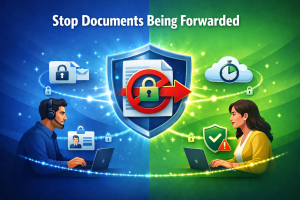
Unfortunately, every forward creates another uncontrolled copy.
Soon the sender has no idea:
- Who has the document.
- Where it is stored.
- Whether it has been copied.
- Whether outdated versions are circulating.
This creates security, compliance and reputational risks.
👉 Related Reading: How to Recall a Sent File
Why Email Cannot Stop Forwarding
Email was designed for communication—not document control.
Once a recipient receives an attachment they can usually:
- Forward the email.
- Save the attachment.
- Upload it elsewhere.
- Print it.
- Keep it indefinitely.
Even deleting the original email doesn’t remove forwarded copies.
This is why businesses handling confidential information are moving away from email attachments.
Browser-Based Viewing Changes Everything
Instead of sending the original document, browser-based document sharing provides a secure viewing link.
Recipients open the document inside a protected browser viewer while the original file remains securely stored on the server.
Rather than distributing copies, organisations control access.
This significantly reduces the opportunity for documents to be forwarded because recipients are viewing information—not receiving the original file.
 Start Free Trial (No Credit Card Required)
Stop Sending Documents You Can’t Control
Replace downloadable attachments with secure browser-based document viewing.
Start your free FileRecall trial today.
Features That Help Reduce Forwarding
Secure Browser Viewing
Recipients view documents online instead of receiving downloadable attachments.
Permanent Personalised Watermarks
Every page can display:
- User name
- Email address
- Date
- Time
Visible watermarks discourage recipients from sharing confidential information because every viewed page is uniquely identifiable.
Password Protection
Require authorised users to authenticate before viewing documents.
Activity Tracking
Monitor:
- Who accessed the document.
- When it was viewed.
- Viewing history.
- Access status.
Complete visibility provides valuable accountability.
Link Expiry
Temporary access automatically expires after a chosen period.
Instant Access Revocation
If a recipient no longer requires access, permissions can be removed immediately.
👉 Related Reading: Secure Browser Document Viewer
Email vs Controlled Document Access
Feature | Cloud Storage | FileRecall | |
Original file distributed | ✔ | ✔ | ✖ |
Browser viewing | Limited | Limited | ✔ |
Personalised watermarks | ✖ | ✖ | ✔ |
Activity tracking | ✖ | Partial | ✔ |
Password protection | Limited | ✔ | ✔ |
Instant access revocation | ✖ | Partial | ✔ |
Original file stays protected | ✖ | ✖ | ✔ |
Who Needs to Prevent Forwarding?
Accountants
Protect tax returns, financial reports and client records from being circulated beyond authorised recipients.
👉 Related Reading: Secure File Sharing for Accountants
Lawyers
Prevent confidential contracts, legal advice and settlement agreements from being widely distributed.
👉 Related Reading: Secure File Sharing for Lawyers
Financial Advisers
Maintain greater control over investment recommendations and client documentation.
👉 Related Reading: Secure File Sharing for Financial Advisors
Investors
Protect confidential due diligence documents, board papers and financial models.
👉 Related Reading: Secure Investor Document Management
Professional Services
Consultants, architects, engineers and advisers regularly exchange commercially sensitive information that deserves stronger protection.
👉 Related Reading: Secure Document Management for Professional Services
Start Free Trial (No Credit Card Required)
Maintain Control After You Share
Give clients secure access to documents without distributing the original file.
Discover FileRecall Today.
Best Practices for Reducing Document Forwarding
To minimise unnecessary document distribution:
- Avoid sending confidential email attachments.
- Share secure browser viewing links instead.
- Apply personalised watermarks.
- Enable password protection.
- Monitor viewing activity.
- Set expiry dates.
- Remove access when projects finish.
- Review permissions regularly.
These practices help organisations maintain much greater control over confidential information.
Frequently Asked Questions
Can I completely stop someone forwarding a document?
No technology can completely prevent someone from sharing information if they are determined to do so.
However, browser-based document viewing significantly reduces the opportunity to forward original files because recipients do not receive standard downloadable attachments.
Can I see who viewed my document?
Yes.
Modern document-sharing platforms record authorised viewing activity to improve accountability.
Can I remove access later?
Yes.
Viewing permissions can be revoked immediately whenever required.
Does this work with PDF, Word and PowerPoint documents?
Yes.
Secure browser viewers support PDF, DOCX and PPTX documents across desktop and mobile devices.
The Future of Confidential Document Sharing
Businesses are moving beyond simple file sharing.
Instead of asking how to protect downloaded documents, organisations increasingly want to prevent unnecessary document distribution altogether.
Browser-based viewing, personalised watermarks, activity tracking and instant access revocation represent a significant step forward in protecting confidential business information.
As organisations place greater emphasis on cyber security, privacy and compliance, reducing document forwarding will become an increasingly important part of modern document management.
Start Free Trial (No Credit Card Required)
Protect Documents Before They’re Forwarded
Share confidential documents securely while keeping the original files under your control.
Start Your Free Trial Today.
Conclusion
Forwarding is one of the biggest risks associated with traditional document sharing.
Once confidential files have been emailed or downloaded, controlling where they go next becomes extremely difficult.
Browser-based document viewing offers a better approach by allowing authorised recipients to securely access information while helping prevent distribution of the original file.
Whether you’re sharing contracts, financial reports, investor presentations or client records, maintaining control after sharing is one of the most effective ways to strengthen document security.
The safest document is the one that never becomes an uncontrolled download.
👉 Related Reading
- 👉 View-Only Document Sharing
- 👉 Share Documents Without Downloading
- 👉 Prevent PDF Downloads
- 👉 Secure Investor Document Management
- 👉 Secure Client Document Portal