
Share Documents Without Downloading: The Smarter Way to Share Confidential Files Securely
Introduction
Businesses share thousands of confidential documents every day. Contracts, financial reports, legal agreements, tax returns, board papers and investor presentations all need to reach the right people quickly and securely.
The problem is that most file-sharing methods require recipients to download the original document.
Once a document has been downloaded, it can be copied, forwarded, printed, stored indefinitely or shared with people the sender never intended to receive it. At that point, control over the document is largely lost.
For organisations handling sensitive information, this presents a significant security and compliance challenge.
Fortunately, there is a better way.
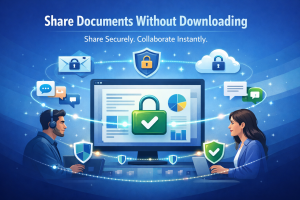
Modern browser-based document sharing allows businesses to share documents without downloading the original file. Instead of sending copies, authorised users securely view documents online while the original file remains protected on the server.
Whether you’re an accountant sending financial statements, a lawyer sharing contracts or a company distributing confidential board papers, browser-based document viewing provides a safer way to collaborate while maintaining control over your information.
Why Traditional File Sharing Creates Risk
Most businesses still rely on familiar tools such as:
- Email attachments
- Google Drive
- Dropbox
- Microsoft OneDrive
- WeTransfer
Although these platforms are convenient, they all have one thing in common.
They deliver the original document.
Once downloaded, that document is outside your control.
Recipients can:
- Save permanent copies
- Forward files to colleagues
- Upload documents to other cloud services
- Print confidential information
- Store files on unmanaged devices
Every download creates another copy that cannot realistically be recalled.
 Start Free Trial (No Credit Card Required)
👉 Related Reading: How to Recall a Sent File
Why Businesses Want to Eliminate Downloads
The goal isn’t to stop people reading documents.
The goal is to stop organisations losing control of them.
Examples include:
- Financial reports
- Tax returns
- Audit documentation
- Legal agreements
- Board papers
- Investor presentations
- Client records
- Intellectual property
- Commercial proposals
These documents often contain confidential information that should only be available to authorised recipients.
Sharing documents without downloads significantly reduces unnecessary risk.
A Better Solution: Browser-Based Document Viewing
Instead of emailing files, organisations can provide secure browser access.
Recipients simply click a secure link.
The document opens inside a protected browser viewer.
The original PDF, DOCX or PowerPoint presentation remains securely stored on the server.
No traditional download is required.
This transforms document sharing into controlled document access.
Start Free Trial (No Credit Card Required)
Stop Sending Downloadable Documents
Share confidential files securely while keeping the original document under your control.
Start your free FileRecall trial today.
How Secure Browser Sharing Works
The process is simple.
- Upload your document.
- Apply security settings.
- Generate a secure viewing link.
- Send the link to authorised recipients.
- Recipients securely view the document in their browser.
- Activity is recorded.
- Access can be revoked instantly whenever required.
Rather than distributing copies, organisations maintain visibility throughout the entire sharing process.
Key Benefits
Maintain Control
The original document remains securely stored rather than being distributed to multiple devices.
Improve Security
Fewer downloadable copies mean fewer opportunities for confidential information to spread beyond authorised recipients.
Better Compliance
Maintaining document control supports governance, privacy and compliance requirements across many industries.
Professional Client Experience
Clients increasingly expect businesses to protect confidential information using secure digital technologies.
Browser-based document viewing demonstrates a commitment to security.
Instant Access Revocation
If circumstances change, access can be removed immediately.
This is particularly useful when:
- Projects conclude
- Contracts are updated
- Employees leave
- Client relationships end
Features That Help Protect Documents
Modern document control platforms provide much more than secure file sharing.
Browser-Based Viewing
Recipients securely view documents without receiving the original downloadable file.
Permanent Personalised Watermarks
Each page can display:
- User name
- Email address
- Date
- Time
Visible watermarks discourage unauthorised distribution.
Password Protection
Require authentication before confidential documents can be viewed.
Activity Tracking
Monitor:
- Who viewed the document
- When it was viewed
- Viewing history
- Access activity
Complete visibility improves accountability.
Link Expiry
Automatically disable viewing after a specified period.
Instant Revocation
Disable document access whenever necessary.
👉 Related Reading: View-Only Document Sharing
Traditional Downloads vs Browser-Based Viewing
Feature | Cloud Storage | FileRecall | |
Sends original document | ✔ | ✔ | ✖ |
Browser viewing | Limited | Limited | ✔ |
Password protection | Limited | ✔ | ✔ |
Personalised watermarks | ✖ | ✖ | ✔ |
Activity tracking | ✖ | Partial | ✔ |
Instant access revocation | ✖ | Partial | ✔ |
Original document stays protected | ✖ | ✖ | ✔ |
Ideal for Every Professional Business
Accountants
Securely share tax returns, BAS statements and financial reports.
👉 Related Reading: Secure File Sharing for Accountants
Lawyers
Protect contracts, settlement agreements and legal documentation.
👉 Related Reading: Secure File Sharing for Lawyers
Financial Advisers
Share financial plans and investment reports with greater confidence.
👉 Related Reading: Secure File Sharing for Financial Advisors
Investors
Protect due diligence documents and confidential financial information.
👉 Related Reading: Secure Investor Document Management
Professional Services
Consultants, engineers, architects and advisers all benefit from browser-based document sharing.
👉 Related Reading: Secure Document Management for Professional Services
Start Free Trial (No Credit Card Required)
Share Confidential Documents Without Losing Control
Replace downloadable attachments with secure browser-based document viewing.
Start Using FileRecall Today.
Best Practices
To maximise document security:
- Avoid emailing confidential attachments.
- Share secure viewing links instead.
- Enable password protection.
- Apply personalised watermarks.
- Monitor document activity.
- Set expiry dates.
- Revoke access when no longer required.
- Regularly review document permissions.
Together, these practices provide significantly stronger protection than traditional file sharing.
Frequently Asked Questions
Can I share documents without allowing downloads?
Yes.
Browser-based document viewing allows authorised users to access documents while helping prevent delivery of the original downloadable file.
Is this more secure than email?
For confidential documents, browser-based viewing provides significantly greater control than traditional email attachments.
Can I revoke access after sharing?
Yes.
Access can be disabled immediately whenever required.
Does it support PDF, Word and PowerPoint?
Yes.
Modern document viewers support PDF, DOCX and PPTX documents on desktop and mobile devices.
Start Free Trial (No Credit Card Required)
Ready to Modernise Document Sharing?
Protect confidential business information with secure browser-based document viewing.
Start Your Free Trial Today.
Conclusion
Traditional file sharing creates copies.
Modern document sharing creates secure access.
By allowing recipients to view documents online while keeping the original files protected, organisations can significantly improve document security, accountability and compliance.
Whether you’re sharing contracts, financial reports, board papers or investor presentations, sharing documents without downloading provides a safer, smarter and more professional approach.
The best way to maintain control of a document is to never lose control of it in the first place.
👉 Related Reading
- 👉 Prevent PDF Downloads
- 👉 Secure Browser Document Viewer
- 👉 Secure File Sharing for Financial Advisors
- 👉 Secure Investor Document Management
- 👉 Secure Client Document Portal