

The State of Secure Document Sharing in Accounting Firms (2026)
Post 9 of 10: FileRecall: Built for the Way Accounting Firms Actually Work
Part of the FileRecall Accounting Research Series
The previous eight posts in this series have established a clear picture: accounting firms handle some of the most sensitive documents in the economy, the threat landscape has intensified, compliance obligations have tightened, traditional document sharing methods are failing, and the operational and strategic case for modernising is compelling.
This post examines how FileRecall specifically addresses the document sharing requirements of accounting firms — why it was built the way it was, what makes it different from the alternatives, and why controlled-access links represent the right model for the accounting profession in 2026.
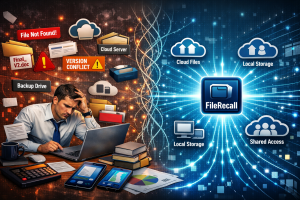
The Core Problem FileRecall Solves
The fundamental problem with traditional document sharing is simple: once a document leaves the sender’s system, the sender loses control of it. They cannot see who has accessed it, cannot recall it if something goes wrong, cannot limit how long it remains accessible, and cannot prevent it from being downloaded, forwarded, or saved in ways they never intended.
FileRecall was built to solve this problem at its root — not by adding security layers on top of existing sharing methods, but by redesigning how documents are shared from the ground up.
The result is a platform where the sender retains control of every document, permanently — not just at the moment of sending, but throughout the entire lifecycle of the shared link.
How FileRecall Works: The Technical Foundation
Server-side rendering — the file never leaves your server
When a recipient opens a FileRecall link, the document is not delivered to their device. It is rendered on FileRecall’s servers — converted page by page into images — and those images are streamed to the recipient’s browser. The recipient sees every word and image on every page with complete clarity. But the original PDF, Word document, or PowerPoint file never reaches their device.
There is no file in the browser cache. There is no file to extract. There is nothing to download because nothing was sent. This is fundamentally different from platforms that hide the download button — in those cases, the file has already arrived in the browser and a technically capable user can extract it. With FileRecall, there is nothing to extract.
Watermark burned into every page
Every page streamed through the FileRecall secure viewer carries a permanent watermark showing the recipient’s email address and the exact date and time of access. This watermark is burned directly into the page image on FileRecall’s server before it is sent to the browser.
This is an important technical distinction. Most watermarking in document sharing tools is applied as a CSS overlay — a visual layer placed on top of the page using website code. CSS overlays can be removed by anyone with basic knowledge of browser developer tools. FileRecall’s watermark is part of the pixel data of the image itself. It cannot be removed with browser tools. It appears in screenshots. It persists across every page, every session, every device.
For accounting firms, this means that if a watermarked document surfaces somewhere it shouldn’t — forwarded to a third party, photographed from the screen, screenshotted and shared — you know exactly who accessed it and when. That accountability is a powerful deterrent and a practical tool when action needs to be taken.
Instant revocation
Every FileRecall link can be revoked instantly, from anywhere, with a single click. When a link is revoked, it stops working immediately — the next time anyone attempts to access it, they see nothing. There is no grace period, no delay, no notification to the recipient.
Instant revocation is the safety net that makes every other control meaningful. Expiry controls handle planned access windows. Revocation handles the unplanned situations — the document sent to the wrong address, the deal that falls through, the engagement that ends unexpectedly, the staff member who shared something they shouldn’t have.
Expiry controls
Expiry controls allow senders to set a time limit on document access before the link is generated. When the expiry window closes, the link stops working automatically — no follow-up required, no request to the recipient to delete the document, no active management needed.
For accounting firms, expiry controls solve the version control problem cleanly: a new version of a document gets a new link; the old link is either revoked manually or simply expires, ensuring the client can only access the current version.
Access tracking and audit trails
Every access event through FileRecall is logged automatically — timestamp, device, location, number of views. The access tracking dashboard gives firms real-time visibility into the status of every document they have shared.
For accounting firms, this means:
- Confirmation of document delivery without needing to follow up with clients
- Evidence of access in the event of a dispute
- Audit trail documentation for regulatory compliance
- Early warning if a document is being accessed from unexpected locations or at unusual times
Password protection
Password protection adds an additional authentication layer before the viewer opens — separate from the link itself, communicated to the recipient through a different channel. For the most sensitive documents — detailed financial histories, identity records, legal documents — this provides a second factor of verification that the right person is accessing the document.
Why FileRecall Fits Accounting Workflows Specifically
Many secure document sharing platforms are built for general business use. FileRecall is built for the specific workflow requirements of professional services firms — and accounting practices in particular.
No client registration required
The most significant workflow advantage over client portal solutions is that recipients need no account, no password, and no software to access a FileRecall document. They click the link and the document opens in their browser. This eliminates the adoption problem that plagues portal solutions — clients use FileRecall because it requires nothing of them beyond clicking a link.
Works within existing email workflows
FileRecall does not replace email — it works within it. Accountants send a link in an email rather than an attachment. The extra step takes seconds and the recipient’s experience is identical: they receive an email, click a link, see their document. The security improvement is fundamental; the workflow disruption is minimal.
Supports the document types accounting firms use
FileRecall supports PDF, Word (DOCX), and PowerPoint (PPTX) files — the three formats that cover the vast majority of documents exchanged in accounting practice. All three are rendered through the same secure viewer with the same protections applied. There is no conversion step, no format restriction, no separate process for different file types.
Pricing that works for every practice size
FileRecall is priced for SMB professional services firms, not enterprise technology budgets:
- Free — 5 files per month, basic tracking, 7-day link expiry. Suitable for testing the platform.
- Pro — $9/month: 50 files per month, full tracking, expiry controls, dynamic watermarking, password protection, unlimited recall, download blocking. The right plan for most sole practitioners and small practices.
- Business — $29/month: 300 files per month, 3 team seats, shared dashboard, audit logs, IP controls, priority support, custom branding. Built for accounting firms sharing across a team.
At $9 per month, the Pro plan costs less than a single billable hour for most accounting professionals. The compliance and security value it delivers is orders of magnitude greater.
FileRecall vs The Alternatives
FileRecall vs email attachments
Email attachments deliver the file permanently to the recipient’s device with no access controls, no audit trail, no expiry, and no revocation. FileRecall delivers nothing to the recipient’s device — only streamed page images — with full access controls, complete audit trails, configurable expiry, and instant revocation. The security differential is total.
FileRecall vs client portals
Client portals require recipients to register, remember credentials, and navigate an unfamiliar interface — which is why adoption rates are consistently poor. FileRecall requires nothing of recipients beyond clicking a link. Both provide security; only FileRecall provides security without adoption friction.
FileRecall vs enterprise VDRs
Enterprise VDRs provide comparable security to FileRecall but at USD 400-2,000+ per month — pricing that makes them impractical for everyday accounting document sharing. FileRecall delivers the core security capabilities that matter for accounting workflows — no-download viewing, watermarking, revocation, expiry, audit trails — at $9-29 per month.
FileRecall vs consumer cloud links
Consumer cloud links typically allow downloads, have no expiry controls, provide no meaningful audit trails, and can be forwarded indefinitely. FileRecall blocks downloads, enforces expiry, provides complete audit trails, and enables instant revocation. The comparison is not close.
Getting Started With FileRecall
FileRecall is designed to be operational within minutes. There is no complex setup, no IT involvement required, and no training required beyond a single brief session.
The practical starting point for accounting firms is to identify the highest-risk document types — tax returns, financial statements, payroll files — and begin sharing these through FileRecall immediately. The habit builds naturally from there.
Try FileRecall free at filerecall.com — no credit card required. The free plan provides five files per month, which is sufficient to test the platform with real client documents before committing to a paid plan.
────────────────────────────────────────────────────────────
Next in this series: Post 10 — Conclusion & References →
← Back to: Post 8: Strategic Implications
Related Reading
- Secure File Sharing for Accountants — how FileRecall fits into accounting workflows
- Secure Document Viewer — documents viewed in browser, never downloaded
- Expiry Controls — automatically limit how long documents remain accessible
- Access Tracking — full visibility into when and how documents are viewed
- Password Protection — add authentication before documents can be opened
- Instant File Recall — revoke access to any document at any time
- Secure File Sharing Online — what genuine online document security looks like
FileRecall — Secure document sharing for accounting firms. filerecall.com